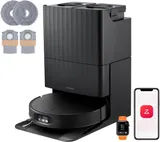
The robot mop docking station: what it really does
Emptying, washing, drying, refilling: the dock turns a robot that needs daily care into an almost self-sufficient appliance. Here is what each function does, what it does not do, and how to choose and install the right dock.
Contents
What a dock is for
A robot mop without a dock asks a lot of you: emptying its small bin after every session, filling its water tank, washing its mop by hand, letting it dry. The dock takes over some or all of these tasks. It recharges the robot and, depending on its level, it sucks out the contents of the bin, washes and dries the mops, and refills the water tank.
The benefit is mainly felt over time. With a complete dock, the robot can clean every day for several days without any intervention, and your tasks come down to emptying the dirty water, filling the clean water and changing the bag from time to time. That is the difference between a robot you actually use and a robot that ends up in a cupboard.
The levels of dock
| Dock | What it does | What is left for you |
|---|---|---|
| Simple charging base | Recharges the robot | Empty the bin, fill the water, wash the mop |
| Emptying dock | Recharges, empties the bin into a bag | Fill the water, wash the mop, change the bag |
| Washing dock | Recharges, washes the mops, refills the tank | Empty the dirty water, empty the bin |
| Complete dock | Recharges, empties, washes, dries, refills | Empty the dirty water, fill the clean water, change the bag |
| Complete dock with detergent | All of that, plus automatic detergent dosing | Top up the detergent from time to time |
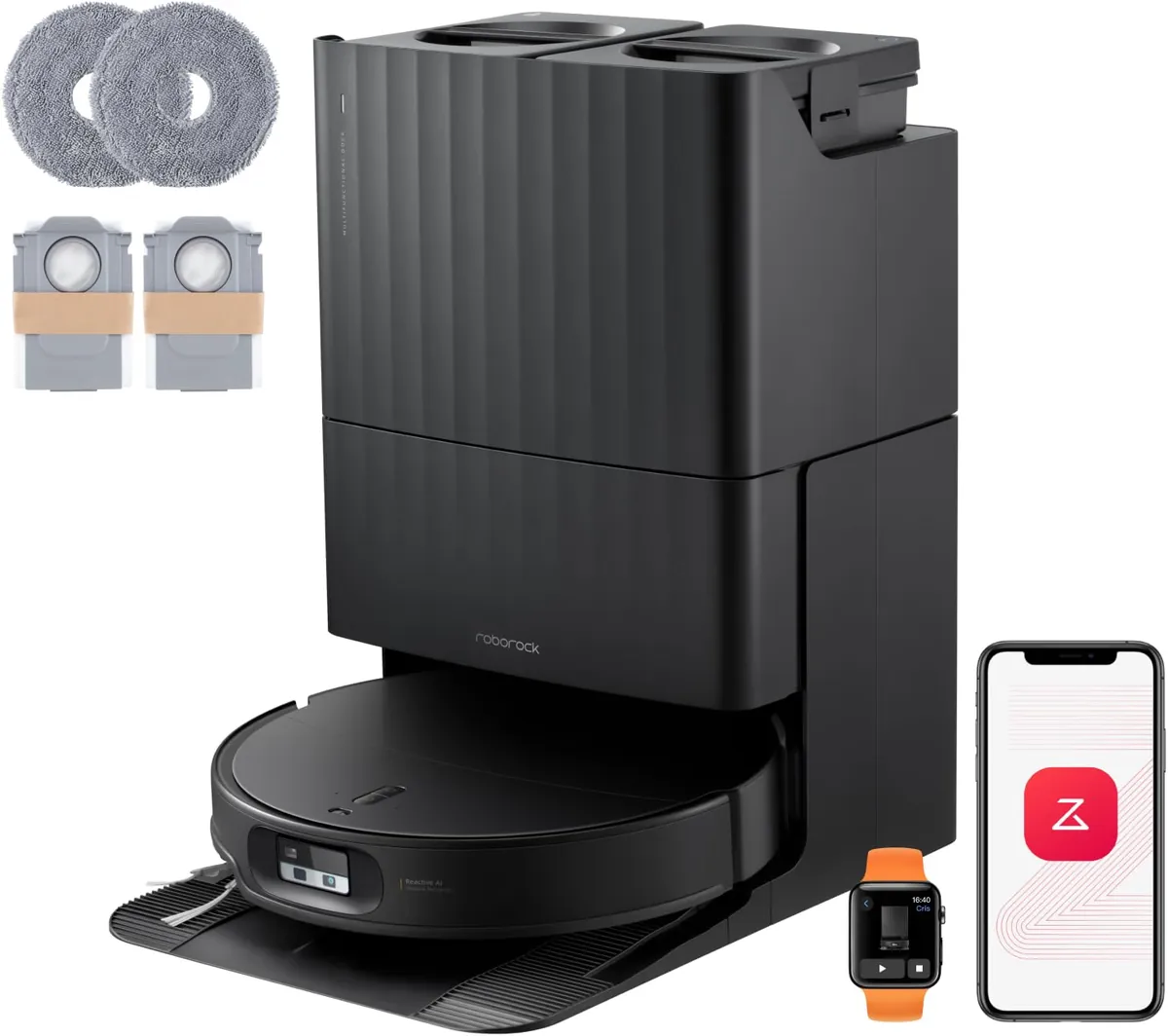
The Qrevo Edge 2’s dock is a complete dock, without automatic detergent dosing.
Automatic emptying
When the robot returns, a powerful motor sucks the contents of its bin through a duct into a disposable bag inside the dock. The robot’s small bin, 240 ml on the Qrevo Edge 2 according to PCWorld and Vacuum Wars, therefore never really fills up.
- Bag life: Roborock claims up to 65 days without intervention for the Qrevo Edge 2, a maximum value. With a pet or a large floor area, expect less.
- Capacity: 2.7 L according to several retailers, 3.2 L according to Maniaques.
- Hygiene: the bag seals as you remove it, so no dust is spread, a real advantage for people with allergies.
- Noise: emptying is the loudest phase, for a few seconds.
Mop washing
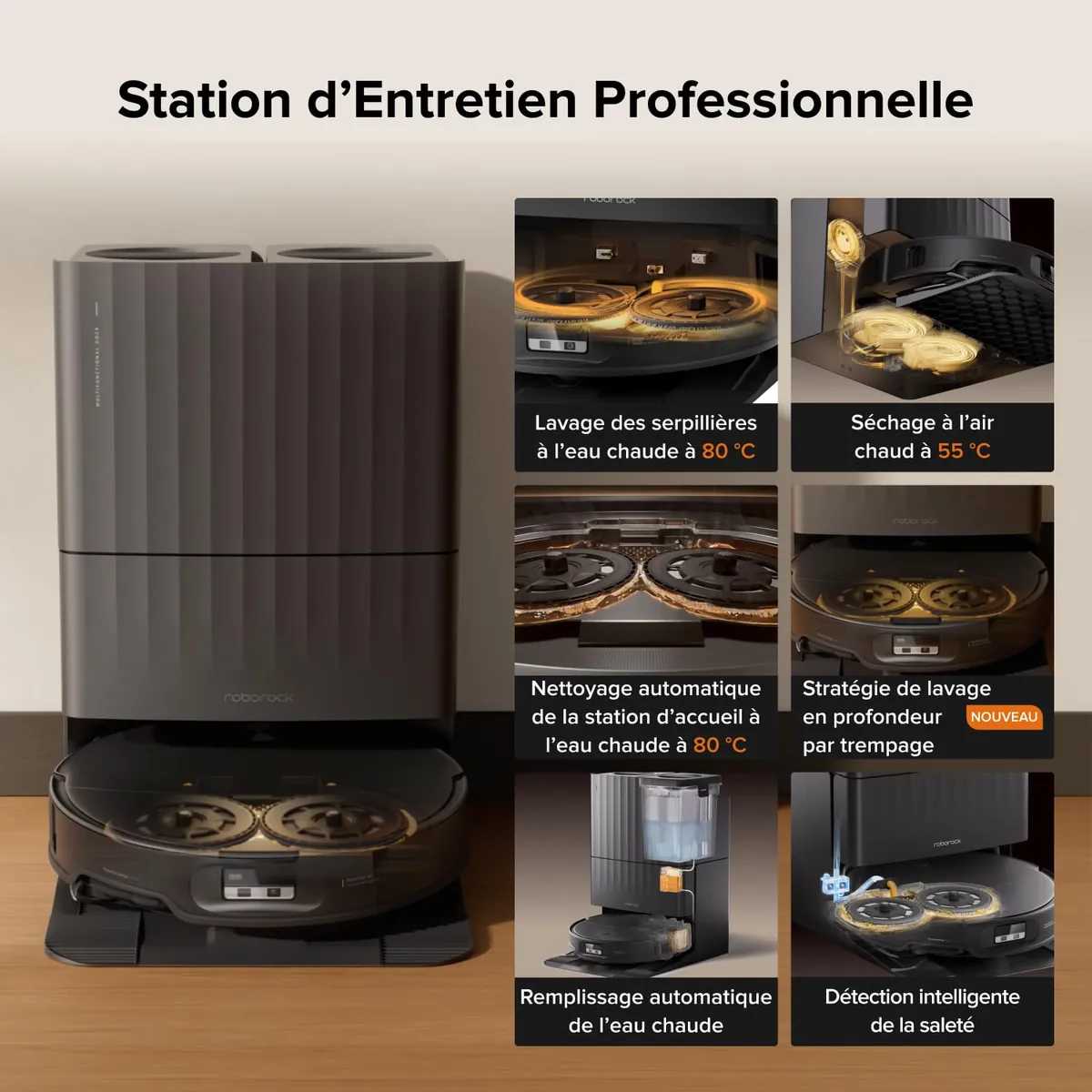
During a mopping session, the robot regularly returns to the dock: the mops spin on a ridged plate, sprayed with clean water, which scrubs and rinses them; the dirty water is sucked into its dedicated tank. Without this washing, a mop would soon spread dirt around instead of removing it.
Temperature makes all the difference. In cold water, kitchen grease dissolves poorly. The Qrevo Edge 2’s dock washes the mops in hot water up to 80 °C according to Roborock, which states that the actual temperature can vary with altitude and pressure. A soaking mode, which you turn on in the app, lets very dirty mops soak before they are washed. Roborock also cites a TÜV Rheinland test on bacteria removal by the mop self-cleaning.
The robot’s dirt detection also triggers extra returns: faced with a large liquid stain, Maniaques saw the robot clean the area, go back to wash its mops, then pass over it again.
Drying
A damp mop left for hours in a closed dock soon smells bad and can go mouldy. Complete docks dry the mops with warm air after cleaning. On the Qrevo Edge 2, the air is at 55 °C according to Roborock, measured at standard room temperature.
Drying takes time and uses a little electricity. The app often lets you set its duration; let it run to the end, especially in a damp room or in winter.
Refilling and the tanks
The dock draws from its clean-water tank to wash the mops and to fill the robot’s small tank, 67 ml on the Qrevo Edge 2 according to PCWorld. On this model, refilling uses warm water. The dirty water goes into a second tank.
| Tank | Qrevo Edge 2 | What to do |
|---|---|---|
| Clean water | 4 L | Fill with tap water, replace if it stands too long |
| Dirty water | 3.5 L | Empty and rinse after big mopping sessions |
| Robot tank | 67 ml | Filled automatically |
Tank capacity determines how much floor can be mopped between interventions. Maniaques covered 160 m² in total with 1.7 L of water during a vacuum-then-mop clean.
Detergent
A suitable detergent helps dissolve grease and leaves a fresh smell. Some docks dose it automatically from a dedicated tank. The Qrevo Edge 2’s does not, a limitation noted by Maniaques and PCWorld: you have to add the product by hand to the clean water each time you refill.
- Only use a compatible detergent recommended by the manufacturer.
- Stick to the dose: too much product leaves a sticky film and makes the dirty water foam.
- Avoid bleach, vinegar, and foaming, scented or solvent-based products.
- On oiled wood or limestone, check that the product is compatible with the flooring.
Tank dock or plumbed-in dock
Some docks can be connected to a water supply and a drain, like a dishwasher. No more filling or emptying, but installation is more demanding: you need a water supply and a drain nearby, often in a kitchen or utility room. The Qrevo Edge 2’s dock works with removable tanks, the simplest solution to install anywhere.
Size and installation
A complete dock takes up space. The Qrevo Edge 2’s is 34 cm wide, 48.7 cm deep and 52.1 cm high and weighs 8.2 kg according to Roborock. To install it well:
- stand it against a wall, on a hard, flat floor, never on a rug;
- leave clearance in front and on the sides, as the manual says;
- check the height under a worktop or shelf: you need to be able to lift the tanks out from the top;
- choose a central spot if possible, to shorten the robot’s trips;
- keep it away from stairs and from walkways where people might trip over it;
- make sure there is a socket nearby and tidy the cable away.
Noise
The dock is quiet most of the time. Two phases can be heard: emptying, powerful and brief, and mop washing, longer and quieter. Drying produces a gentle hum. Schedule cleaning for when you are out and use the app’s Do Not Disturb mode to avoid emptying at night. The robot itself measures 63 dB in balanced mode according to PCWorld.
Dock hygiene and upkeep
The dock cleans the robot; it needs cleaning too. The essential tasks:
- Empty and rinse the dirty-water tank after big mopping sessions.
- Rinse the base every one to two weeks: on the Qrevo Edge 2, it is detachable according to Roborock.
- Clean the washing plate and its ridges with a soft brush.
- Change the bag when alerted.
- Check the emptying duct if emptying becomes less effective.
- Wipe the charging contacts every month.
Our guide to robot vacuum mop maintenance gives the full schedule.
The Qrevo Edge 2’s dock
| Function | Value | Source |
|---|---|---|
| Automatic emptying | Up to 65 days | Roborock |
| Mop washing | Hot water up to 80 °C, soaking mode | Roborock |
| Drying | Warm air at 55 °C | Roborock |
| Robot refilling | Warm water | Roborock |
| Tanks | 4 L clean, 3.5 L dirty | Maniaques, PCWorld |
| Bag | 2.7 L (3.2 L according to Maniaques) | PCWorld, MediaMarkt |
| Detergent | No dedicated tank | Maniaques, PCWorld |
| Base | Detachable | Roborock |
| Dimensions | 340 × 487 × 521 mm, 8.2 kg | Roborock |
It is a complete dock that does most of the upkeep: only detergent dosing remains manual. Our full review and our specifications cover everything in detail.
A full cycle, step by step
To understand the dock’s role properly, let us follow a typical clean with vacuuming then mopping.
- Departure: the robot leaves the dock with its tank full of warm water and its mops clean and dry.
- Vacuuming: it covers the planned rooms; on rugs, it lifts its mops so as not to wet them.
- Intermediate return: depending on the area and the dirt detected, it comes back to wash its mops and top up its tank.
- Mopping: it resumes where it left off, thanks to the map.
- Final return: the dock empties the bin into the bag, washes the mops one last time in hot water, then starts drying.
- Recharging: the robot stays on its base, ready for the next session.
At no point do you step in. Your only job, a few days later, is to empty the dirty water and top up the clean water.
Choosing the right dock
Not all docks are equal. Before buying, ask yourself a few simple questions.
- How much floor do you mop? The larger it is, the more the tanks matter to avoid frequent refilling.
- Do you have a pet? Automatic emptying and a good-sized bag then become essential.
- Do you cook a lot? Hot-water mop washing makes a real difference on grease.
- Do you live somewhere damp? Warm-air drying prevents smells.
- Where will it go? Measure the spot, height included, before ordering.
- Do you want to forget about detergent? Only some docks dose it themselves; the Qrevo Edge 2’s does not.
Our guide on how to choose a robot vacuum mop puts the dock in context with the other criteria: navigation, suction, mops, app.
What the dock does not do
A complete dock makes life much easier, but it does not replace every task. It does not untangle hair wrapped around the main brush or the side brush. It does not clean the robot’s filter. It does not wipe the sensors or the camera. It does not deep-clean itself: its base and its dirty-water tank need regular rinsing. Nor does it replace a proper hand wash for a dried-on stain or a pet accident.
Keeping these limits in mind avoids disappointment: the dock does most of the daily work, and you keep a supervisory role, a few minutes a week.
Mistakes to avoid with a dock
- Standing it on a rug or uneven floor: the robot docks badly and water can leak.
- Wedging it under low furniture: you then cannot lift the tanks out from the top.
- Forgetting the dirty water for a week: smells guaranteed.
- Pouring in any old product into the clean water: foam, deposits and tired pumps.
- Cutting drying short for some quiet: the mops stay damp and smell.
- Moving the dock without remapping or checking its position on the map: the robot then goes looking for it.
- Using incompatible bags: they do not seal properly and let dust through.
These mistakes are easy to avoid, and avoiding them is enough to extend the dock’s life considerably.
The dock with pets
With a dog or a cat, the dock works harder. Hair fills the bag much faster than the maximum 65 days claimed, so follow the app’s alert rather than the calendar. Hair also ends up in the washing tray and the dirty water: rinse the base more often during moulting season to avoid clumps and smells.
Some pets are curious about the dock, or frightened by the noise of emptying. Place it somewhere the animal does not sleep or eat, and use Do Not Disturb mode so that emptying does not happen at night. Keep food and water bowls a reasonable distance away, so the robot does not have to manoeuvre around them each time it docks.
Frequently asked questions
Is a complete dock worth it?
For a robot mop used often, yes: it washes and dries the mops, prevents smells and frees you from daily chores.
How long does the bag last?
Up to 65 days according to Roborock for the Qrevo Edge 2, a maximum value. With a pet, expect less.
Does the dock mop the floor at 80 °C?
No, the 80 °C refers to the water that washes the mops in the dock. The floor is mopped with warm water from the robot’s tank.
Can the Qrevo Edge 2’s dock be plumbed in?
It works with removable 4 L and 3.5 L tanks. Check with the manufacturer whether a connection kit is offered for your version.
Where does the detergent go?
In the clean-water tank, by hand, at the stated dose: the dock has no detergent tank.
Why does the dock smell?
Most often because of standing dirty water or a dirty base. Empty, rinse and let it dry.
Does the dock use a lot of electricity?
Heating the water and drying use electricity, but for short periods. The app often lets you set the drying time.
Can the dock stand on a wood floor?
Yes, on a hard, flat floor. Check that there is no leak around the base and wipe it when you clean it.
Should the robot stay on its dock all the time?
Yes, between sessions. The dock recharges its battery and manages charging; it is also where it picks up clean, dry mops.
Can you move the dock to another room?
Yes. Stand it against a wall, on a hard floor, then let the robot return to it and check its position on the map in the app. If there is a problem, start a new mapping run.
Does the dock work without Wi-Fi?
Charging, emptying and washing work without the app, but settings, scheduling and alerts go through it. The Qrevo Edge 2 only connects to 2.4 GHz Wi-Fi.
What should you do if the dirty water overflows?
Check that the tank is properly fitted and empty, then that the tank’s filter or grille is not blocked. If it keeps happening, contact customer support.
Clean floors, without thinking about it.
25,000 Pa · 7.98 cm · 80 °C wash · 55 °C drying · over 280 object types recognised. The price changes often on Amazon: check it, along with the seller, the exact version (Set, X, Pro) and the accessories included, before you order.
Check the price on AmazonAffiliate link · new tab