How to use a robot vacuum mop, with the Roborock Qrevo Edge 2
Setting up the dock, connecting the robot, getting the first map right, adjusting each room, scheduling sessions and keeping the robot effective over time: every step, from unboxing to the weekly routine.
Contents
Important: this guide complements your appliance’s manual without replacing it. If there is any difference, the manufacturer’s manual takes priority for your exact model.
Before first use
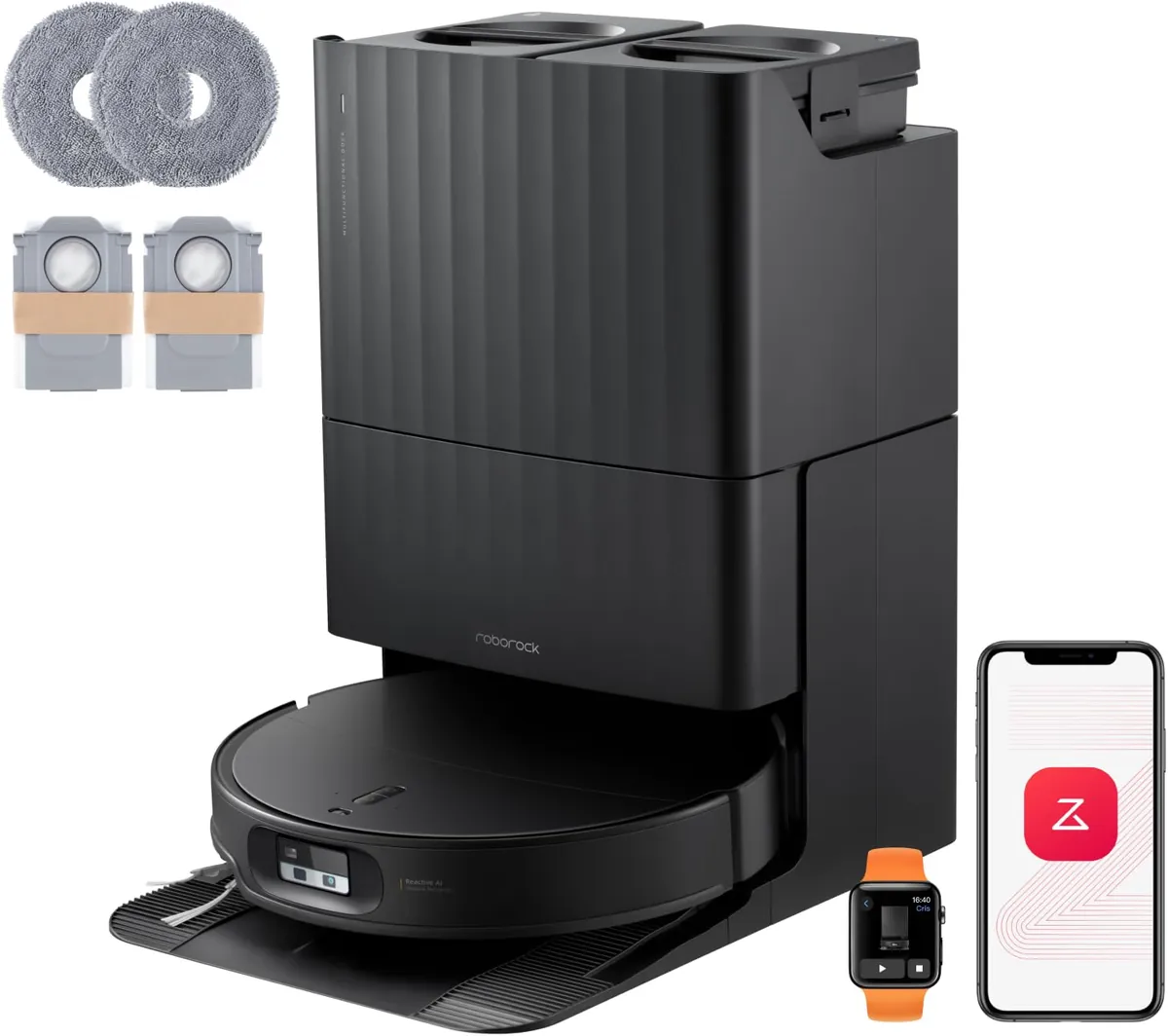
- Unpack and check: robot, dock, base, brushes, mops, bag, power cable. The Set version adds spare accessories: compare with the list in the listing.
- Remove the transport films and wedges from the robot, the dock and the tanks, including the foam around the LiDAR and the brushes.
- Fit the side brush and the mops if they come separately.
- Check your network: the Qrevo Edge 2 only works on 2.4 GHz Wi-Fi. Write down the network name and password.
- Prepare the floor: cables, socks, toys and curtain cords tidied away before mapping.
Setting up the dock
The dock is the robot’s fixed point. Placed well, it lets the robot return easily and map correctly.
- Against a wall, on a hard, flat floor, never on a rug.
- Near a socket, with the cable tucked into the cable guide provided.
- With free space in front and on the sides, according to the distances given in the manual, and away from stairs.
- In a central area if possible: the robot wastes less time reaching the rooms.
- Accessible: you will need to lift the tanks out from the top. The dock is about 52 cm tall according to Roborock; check the height under a worktop or a shelf.
Then fill the clean-water tank, 4 L according to published tests, and fit the dirty-water tank, empty.
Connecting the robot to the app
- Put the robot on the dock to charge it.
- Install the Roborock app and create an account with a strong password.
- Add the device by following the wizard: your phone must be connected to the 2.4 GHz network during pairing.
- Accept the software update if one is offered, with the robot on its dock.
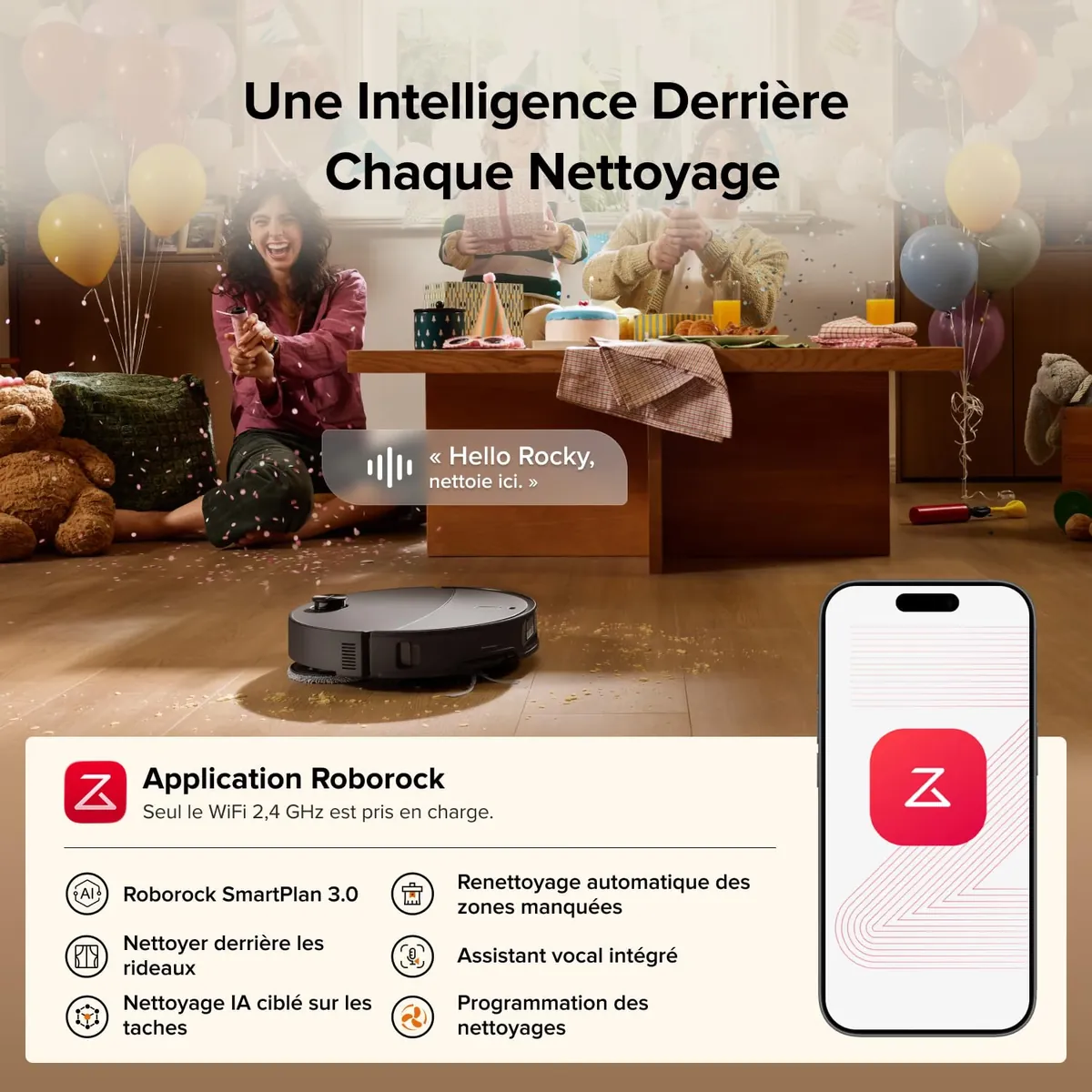
- If you wish, turn on the Hello Rocky voice assistant, Matter or your usual assistant (Alexa, Siri, Google Home).
Getting the first map right
The map determines everything else: a robot that knows your home well cleans faster and misses fewer areas.
- Open all the doors of the rooms to be cleaned.
- Switch on the light if the room is dark: the camera uses it to recognise objects.
- Clear the floor and lift chairs if possible.
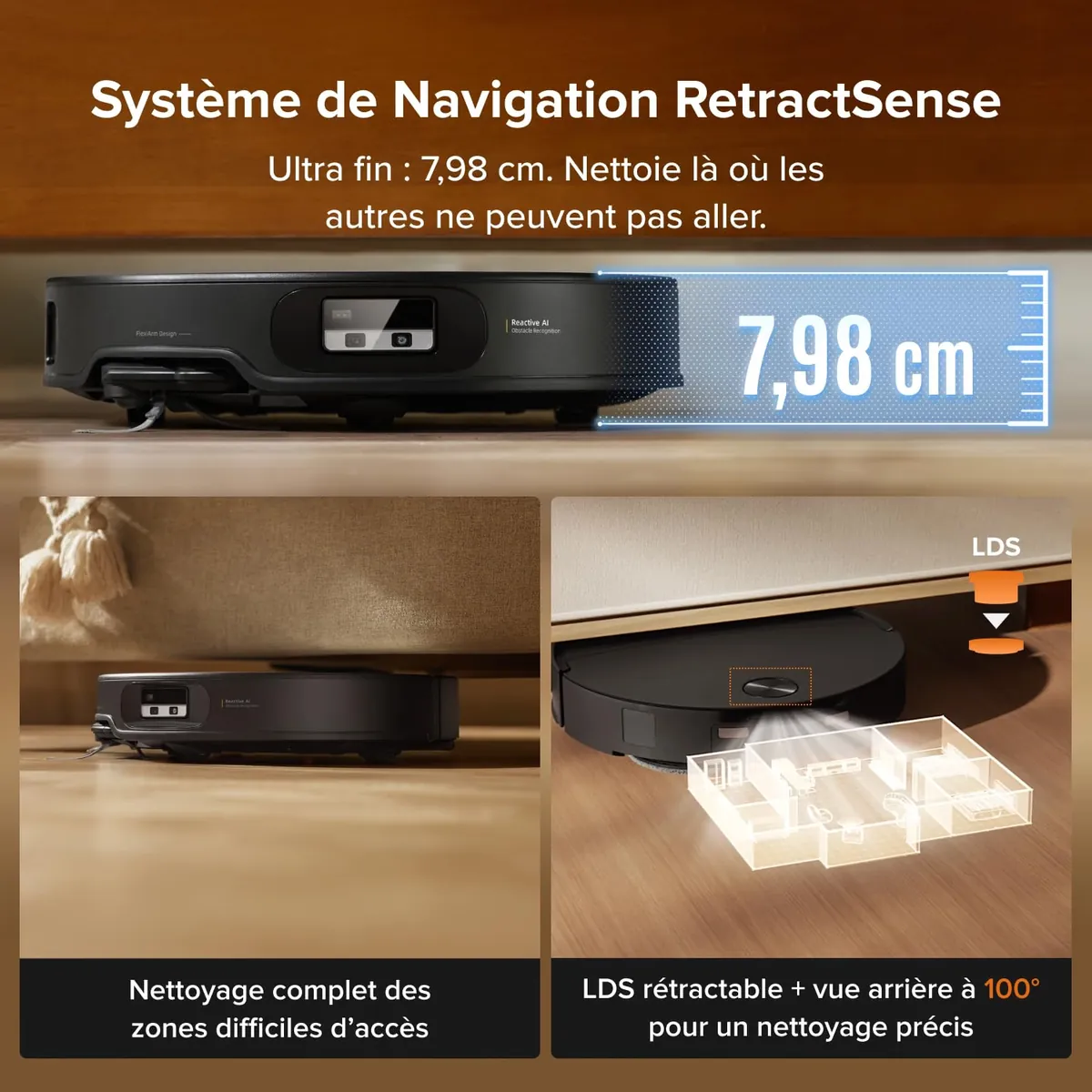
- Start the quick mapping run: PCWorld reports about 70 m² mapped in under 5 minutes.
- Stay nearby the first time to spot any place where the robot gets stuck.
If you have several floors, the app can store several maps: carry the robot upstairs and start a new mapping run. Our article on navigation, mapping and obstacles gives the details.
Adjusting each room
- Check the room division suggested: merge or split rooms, such as a dining area not separated from the living room, a case noted by Maniaques.
- Name the rooms for voice commands.
- Set the floor type if automatic detection gets it wrong.
- Draw no-go zones: pet bowls, cables, fringed rugs, tightly packed chair legs.
- Draw no-mop zones around rugs you do not want to get damp.
- Declare thresholds: the robot climbs about 2 cm; beyond that, plan a ramp or a separate zone.
- Set suction and water flow room by room: low flow on wood floors, higher in the kitchen.
Cleaning modes
| Mode | Use | Tip |
|---|---|---|
| Vacuum only | Rugs, carpets, water-sensitive wood floors | Ideal on weekdays for high-traffic areas |
| Mop only | Hard floors already vacuumed | Useful after a previous session |
| Vacuum and mop at the same time | Everyday cleaning of mixed floors | The fastest option day to day |
| Vacuum then mop | Deep cleaning | Best result, takes longer |
| SmartPlan 3.0 | Automatic mode | The robot chooses the order, power and passes |
| Spot cleaning | Crumbs under the table, dust in the hallway | Start it with a tap in the app or by voice |
Curtain mode, once the curtains are marked on the map, lets the robot go under sheer curtains. Mop soaking mode is turned on manually in the app.
Scheduling sessions
Regularity is what keeps a home clean. A few benchmarks:
- a daily vacuuming pass in the living areas and the kitchen;
- mopping two to three times a week on hard floors;
- a deep clean, vacuuming then mopping, once a week;
- sessions while you are out: PCWorld measured 63 dB in balanced mode, and the dock is louder while emptying.
Turn on Do Not Disturb mode at night and the child lock if needed.
Water, detergent and mops
- Clean water: fill with tap water, unless the manual says otherwise.
- Detergent: only use a compatible product, at the stated dose. The Qrevo Edge 2 has no detergent tank: you add it by hand to the clean water. Do not use bleach, vinegar, or foaming or scented products.
- Water flow: 30 levels according to PCWorld. Start low on wood floors and go higher in the kitchen.
- Mops: the dock washes them in hot water up to 80 °C and dries them at 55 °C. Replace them when they are worn.
After the session: what is left to do
- Empty the dirty water and rinse the tank when it is fairly full, and at least after each big mopping session.
- Top up the clean water.
- Check the bag when the app tells you to.
- Remove hair from the wheels and brushes once a week.
- Check the filter every fortnight, as Maniaques recommends.
The details are in our guide to robot vacuum mop maintenance.
Common problems and solutions
| Symptom | Likely cause | What to do |
|---|---|---|
| The robot keeps getting stuck in the same place | Threshold too high, furniture leg, cable | No-go zone, ramp, tidying up |
| It can no longer find the dock | Dock moved, obstacle in front | Put the dock back in place, clear the access |
| Water marks on the floor | Water flow too high, worn mops | Lower the flow, change the mops |
| Smell in the dock | Stagnant dirty water, dirty base | Empty, rinse, clean the base, let it dry |
| Weaker suction | Clogged filter, full bin, tangled brush | Clean the filter, empty, untangle |
| Cannot connect | 5 GHz network only | Turn on 2.4 GHz on the router |
| Error message | Alert from the appliance | Check the app, the manual or customer support |
Safety
- Unplug the dock before taking anything apart or cleaning it.
- Only put water and the products approved by the manufacturer into the tanks.
- Stop the robot from running through a large puddle or pet waste: use a no-go zone if needed.
- Tidy away curtain and blind cords, which are dangerous for the robot and for young children.
- Turn off remote video if you do not use it and keep the app up to date.
Frequently asked questions
Should you charge the robot before first use?
It is a good idea to put it on its dock and let it charge before the first mapping run. Follow the manual for your model.
Can the robot stay on its dock all the time?
Yes, that is how it is designed: the dock recharges and maintains it between sessions.
What water should you put in the dock?
Tap water, possibly with a compatible detergent added by hand. Avoid bleach, vinegar and foaming products.
How do you clean several floors?
The robot does not climb stairs. Carry it upstairs, create a second map and start cleaning; the dock stays on the ground floor.
How often should you run the robot?
Daily vacuuming of the living areas and mopping two to three times a week generally give good results.
Why won’t the robot connect?
Most often because the 2.4 GHz network is not active. The Qrevo Edge 2 does not support 5 GHz.
Clean floors, without thinking about it.
25,000 Pa · 7.98 cm · 80 °C wash · 55 °C drying · over 280 object types recognised. The price changes often on Amazon: check it, along with the seller, the exact version (Set, X, Pro) and the accessories included, before you order.
Check the price on AmazonAffiliate link · new tab