Calculator: which robot vacuum mop and how much runtime?
Enter your floor area, your floor types, whether you have a pet or stairs and how often you clean: the calculator suggests a type of robot and compares your cleaning time with the maximum runtime claimed for the Qrevo Edge 2.
Calculator: which robot, and how much runtime?
Answer a few questions: we suggest the most suitable type of robot and estimate your cleaning time, compared with the maximum runtime claimed for the Qrevo Edge 2.
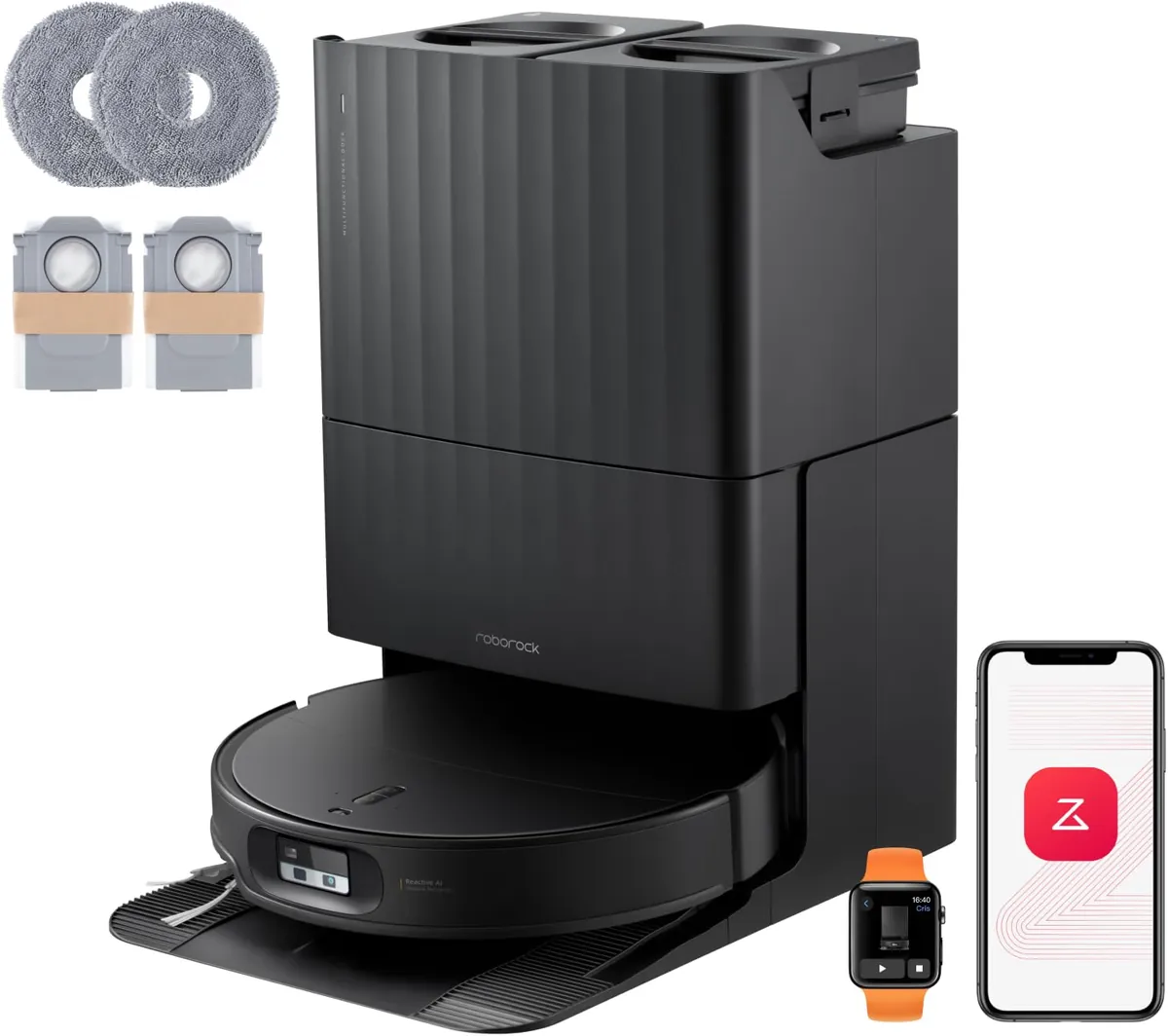
25,000 Pa, 7.98 cm to slip under furniture, a FlexiArm brush for the edges and a dock that washes at 80 °C and dries at 55 °C: enough to forget about the mop and bucket.
- 25,000 Pa
- 7.98 cm
- 80 °C wash
How the calculator chooses the robot
The rules are simple and public. They reflect the strengths and limits described in our guides, with no opaque algorithm.
| Your situation | Recommended robot |
|---|---|
| 45 m² or less, mostly hard or mixed floors, no pets | A simple robot mop |
| Cleaning time up to 70% of the maximum claimed runtime | A robot mop with a complete dock |
| Between 70% and 100% of the maximum claimed runtime | A self-sufficient robot that recharges and resumes |
| Beyond the maximum claimed runtime | A robot scheduled by zones, or two robots |
The 30% margin comes down to a simple fact: the maximum runtime is achieved at reduced power. With strong suction and active mopping, the battery drains faster, and the robot has to go back to wash its mops along the way.
How cleaning time is estimated
The calculator multiplies your floor area by an average time per square metre, which depends on your floors:
- Mostly hard floors: about 1 minute per m² for simultaneous vacuuming and mopping;
- Mixed floors: about 1.1 minutes per m², because of mop lifting and detours;
- Mostly rugs and carpet: about 0.8 minutes per m², vacuuming only.
With a dog or cat, it adds 20%: the areas where pets sleep need more passes and suction. These values are editorial estimates, not measurements. As a benchmark, the Vacuum Wars lab measured a navigation efficiency of about 0.8 m² per minute for the Qrevo Edge 2, and Maniaques cleaned 80 m² by vacuuming then mopping with 18% battery left.
The calculator then shows the number of sessions possible on one charge, the maximum claimed runtime and the amount of automatic cleaning over a year, based on the number of sessions per week you enter.
The runtimes used
| Data | Value | Source |
|---|---|---|
| Battery | 5,200 mAh | PCWorld, Maniaques |
| Maximum claimed runtime | 180 min | Maniaques, Testberichte |
| Charging time | Under 4 h | PCWorld |
No runtime is published for maximum suction with mopping: it depends too much on the home. The calculator does not make one up. To understand these differences, read our article on suction, pascals and runtime.
What the calculator does not take into account
- How cluttered the home is: lots of furniture and chair legs slow the robot down.
- The trips back to the dock to wash the mops.
- The rooms you exclude from some sessions.
- Battery ageing over the years.
To go further, read our robot vacuum mop buying guide and our comparison of robot mops, stick vacuums and cylinder vacuums.
Frequently asked questions
How long does it take to clean 100 m²?
According to our estimates, about 1 hour 40 minutes for vacuuming and mopping on hard floors, a little more on mixed floors, less for vacuuming only on carpet.
Is one charge enough for a house?
Often, for an average house. Otherwise, the robot recharges and resumes on its own; you can also schedule cleaning by zones over several days.
Why not show the runtime at maximum suction?
Because it is not published and varies with the home. We prefer not to invent a figure.