Robot vacuum mop maintenance: brushes, filter, mops and dock
Even with a dock that empties, washes and dries, a robot mop needs a few regular tasks to keep its suction, avoid smells and last for years. Here is the complete method, the schedule and the fixes for common faults.
Contents
Why maintenance changes everything
A robot mop combines several sources of wear: an air path that clogs, brushes that collect hair and fluff, mops that rub away dirt, dirty water that sits in the dock, sensors that get covered in dust. If any of them is neglected, cleaning quality drops: weaker suction, streaks on the floor, smells, a robot that gets lost or stuck.
Most “faults” reported by users are first and foremost a maintenance issue. A clean filter, untangled brushes and an emptied dirty-water tank are often enough to get an effective robot back. With a complete dock, like the Qrevo Edge 2’s, most of the work is automated; what is left takes a few minutes a week and a little more each month.
Important: the advice below is general. Your appliance’s manual takes priority for your exact model, especially for approved products, removing the brushes and how often to replace parts. The app also flags consumable wear.
Before any maintenance
- Stop the robot and take it off the dock.
- Unplug the dock before taking it apart or cleaning its base.
- Work over a bin or outdoors for dusty tasks.
- Use no products that the manufacturer has not approved: no bleach, no vinegar, no solvents.
- Never get water on the robot’s electronics, battery, sensors or brush motors.
The water tanks
Dirty water
This is the most important task. The dirty-water tank, 3.5 L on the Qrevo Edge 2’s dock according to published tests, collects the water used to wash the mops, full of dirt. Left for several days, it ferments and gives off a stubborn smell. Empty it as soon as the tank is fairly full and at least after every big mopping session, then rinse the tank with clean water. Once a week, scrub the inside with a soft brush and leave it to dry with the lid open.
Clean water
Fill the clean-water tank, 4 L on this model, with tap water unless the manual says otherwise. Do not leave water standing for weeks: replace it if the robot is not being used. If you use a detergent, add it by hand at the stated dose: the Qrevo Edge 2’s dock has no dedicated tank.
The robot’s tank
The small on-board tank, 67 ml according to PCWorld, is filled automatically with warm water by the dock. It needs little care; rinse it from time to time if hard water leaves deposits.
The bag and emptying
Every time the robot returns, the dock sucks the contents of its bin into a disposable bag. Roborock claims up to 65 days without intervention, a maximum value; several retailers give the bag as 2.7 L. With a pet or a large floor area, expect considerably less.
- Change the bag when the app tells you to or when emptying becomes less effective.
- Seal the bag as you remove it to avoid spreading dust.
- Check the duct between the base and the bag: a tissue or a tuft of hair can get stuck in it.
- Only use bags compatible with your dock.
The robot’s bin
The on-board bin is small, 240 ml on the Qrevo Edge 2 according to PCWorld and Vacuum Wars. The dock empties it every time the robot returns, but debris can stick to the sides. Once a month, take it out, empty it and wipe it with a dry cloth. If the manual says it is washable, rinse it and let it dry completely before putting it back.
The filter
The filter traps fine dust before the air leaves the robot. A clogged filter restricts airflow, reduces suction and can strain the motor. On the Qrevo Edge 2, it is E11 class according to PCWorld, and Maniaques recommends checking it every fortnight, as it clogs fairly quickly.
- Remove the filter from the bin as described in the manual.
- Tap it over a bin to knock the dust off.
- Brush it gently with a dry, soft brush, without damaging it.
- Only wash it with water if the manual allows it, and then let it dry completely, for at least 24 hours.
- Replace it if it is misshapen, torn or stays grey despite cleaning.
The main brush
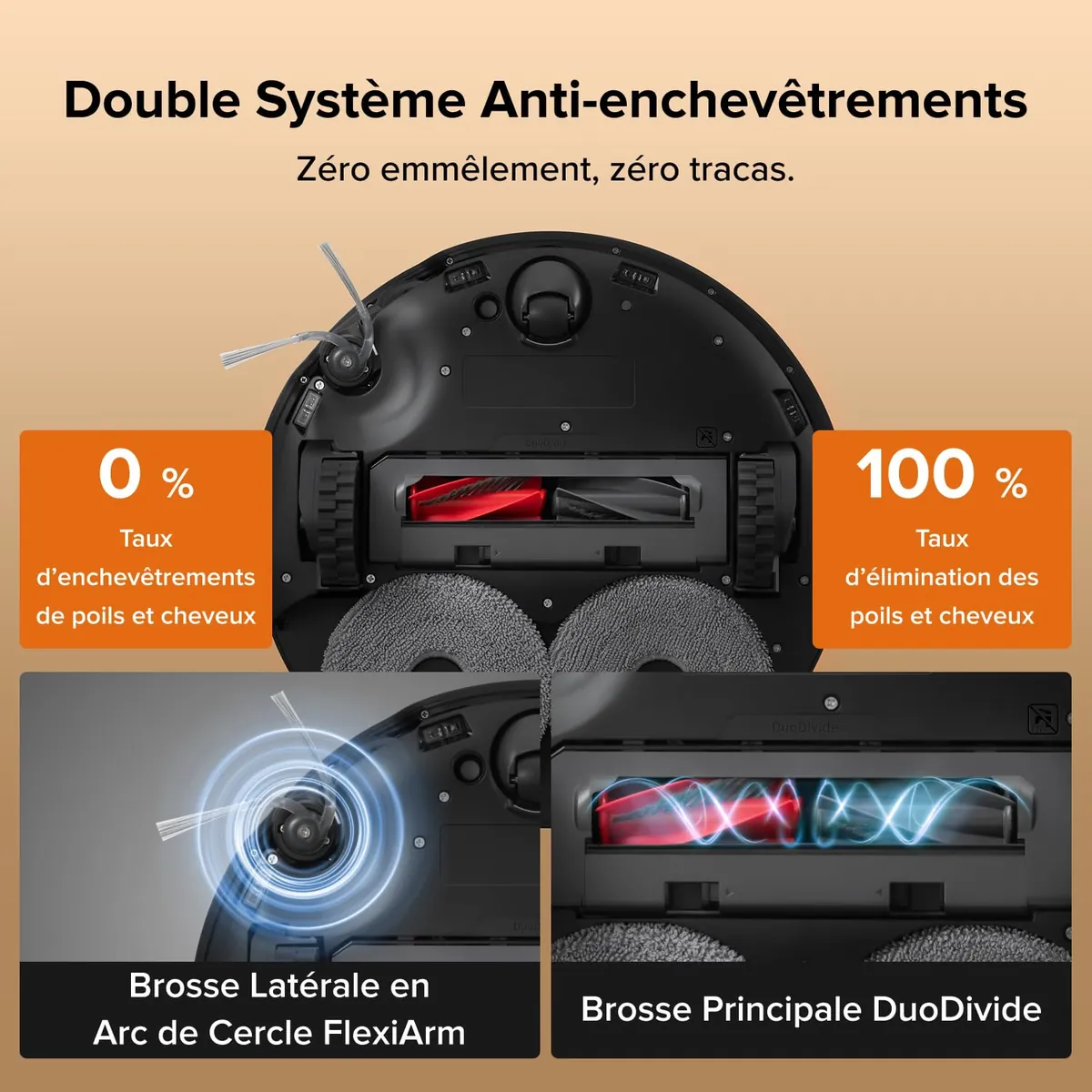
It works hard: it beats rugs and picks up hair, fluff and threads. Even with an anti-tangle system, such as the Qrevo Edge 2’s DuoDivide brush, it deserves regular checks.
- Every week: turn the robot over and remove any visible hair, especially at the ends.
- Every month: take the brush out as described in the manual, cut through wrapped fibres with round-tipped scissors along a groove, clean the end caps and the housing, then click it back into place.
- When needed: replace it if the blades or bristles are worn.
The side brush
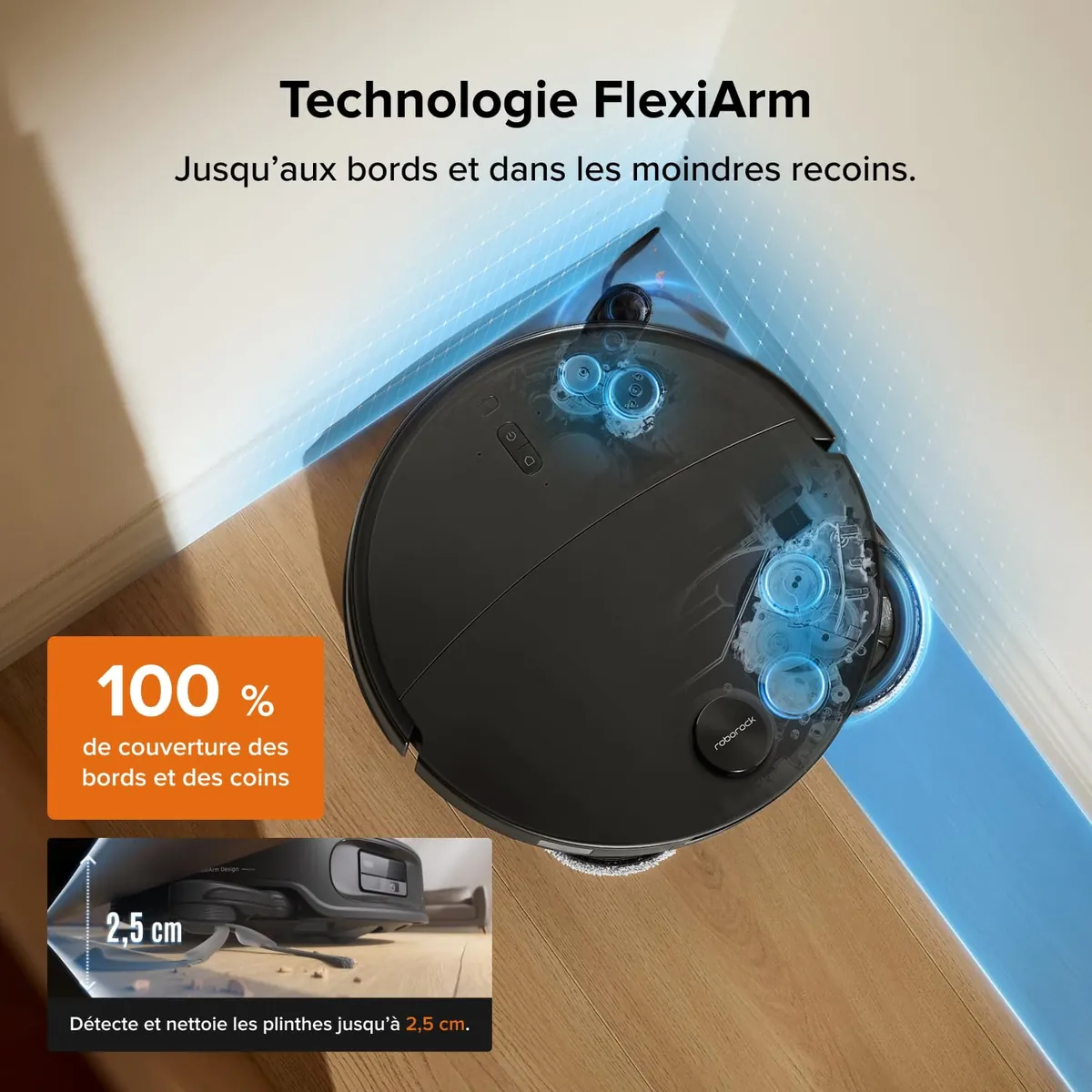
The side brush spins at the edge of the robot to sweep dust from the skirting boards. On the Qrevo Edge 2, the arc-shaped FlexiArm brush also extends towards corners. Remove the hair wrapped around its base every week, check that it spins freely and replace it when its arms are bent or worn: a misshapen brush flicks dust away instead of sweeping it in.
The wheels and the caster
Hair and threads also wrap around the axles of the wheels and the front caster. A jammed caster makes the robot veer and wears the tyres. Once a month, remove the front caster if it is removable, clear the hair from its axle and wipe the treads of the drive wheels with a slightly damp cloth.
The mops
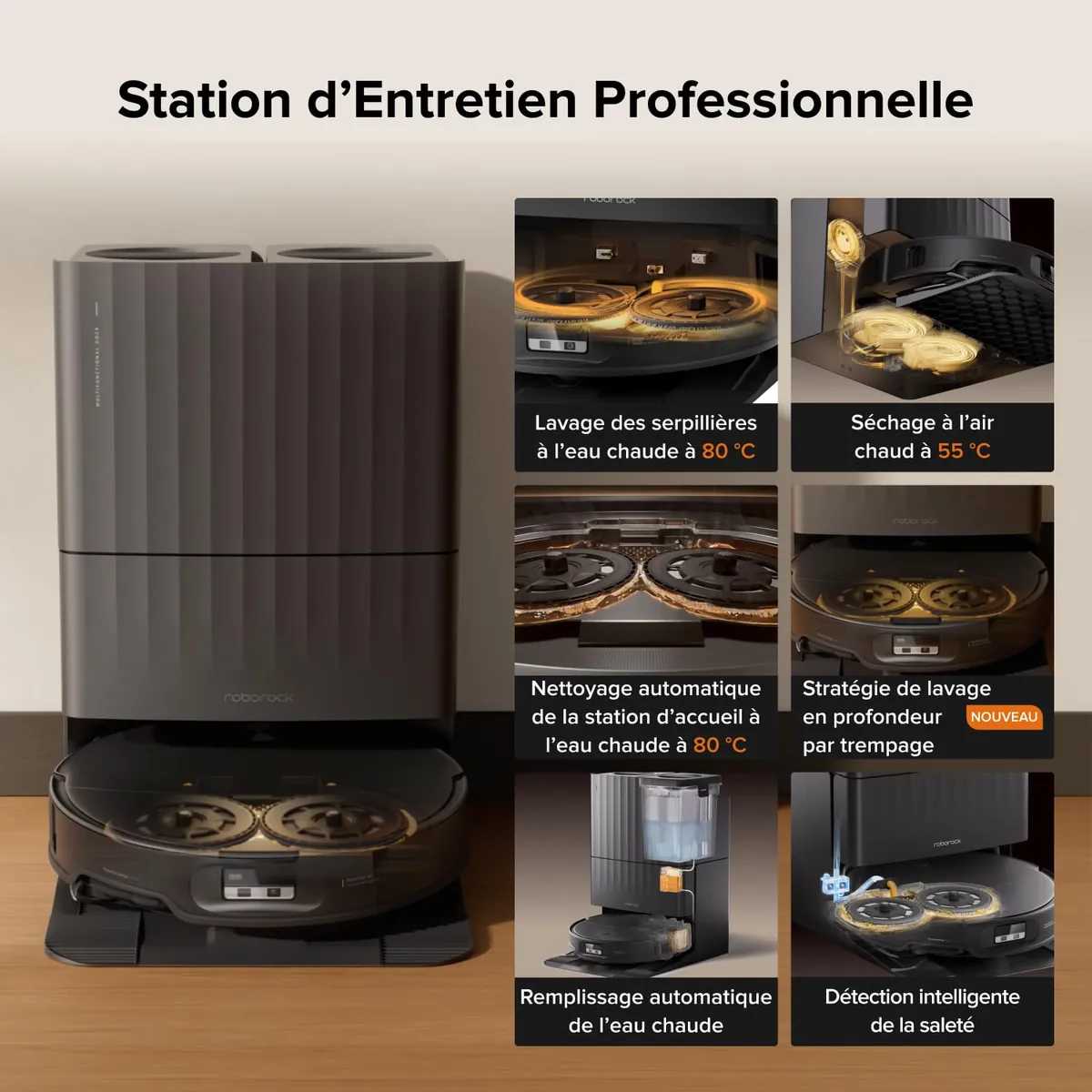
The Qrevo Edge 2’s dock washes them in hot water up to 80 °C and dries them with warm air at 55 °C according to Roborock, which limits smells and mould. A soaking mode, which you turn on in the app, helps with very dirty mops. They still wear out:
- check them every month: a matted texture, frayed edges or a persistent smell mean they need replacing;
- replace them in pairs to keep mopping even;
- if the manual allows it, you can wash them by hand or in the machine from time to time, without fabric softener;
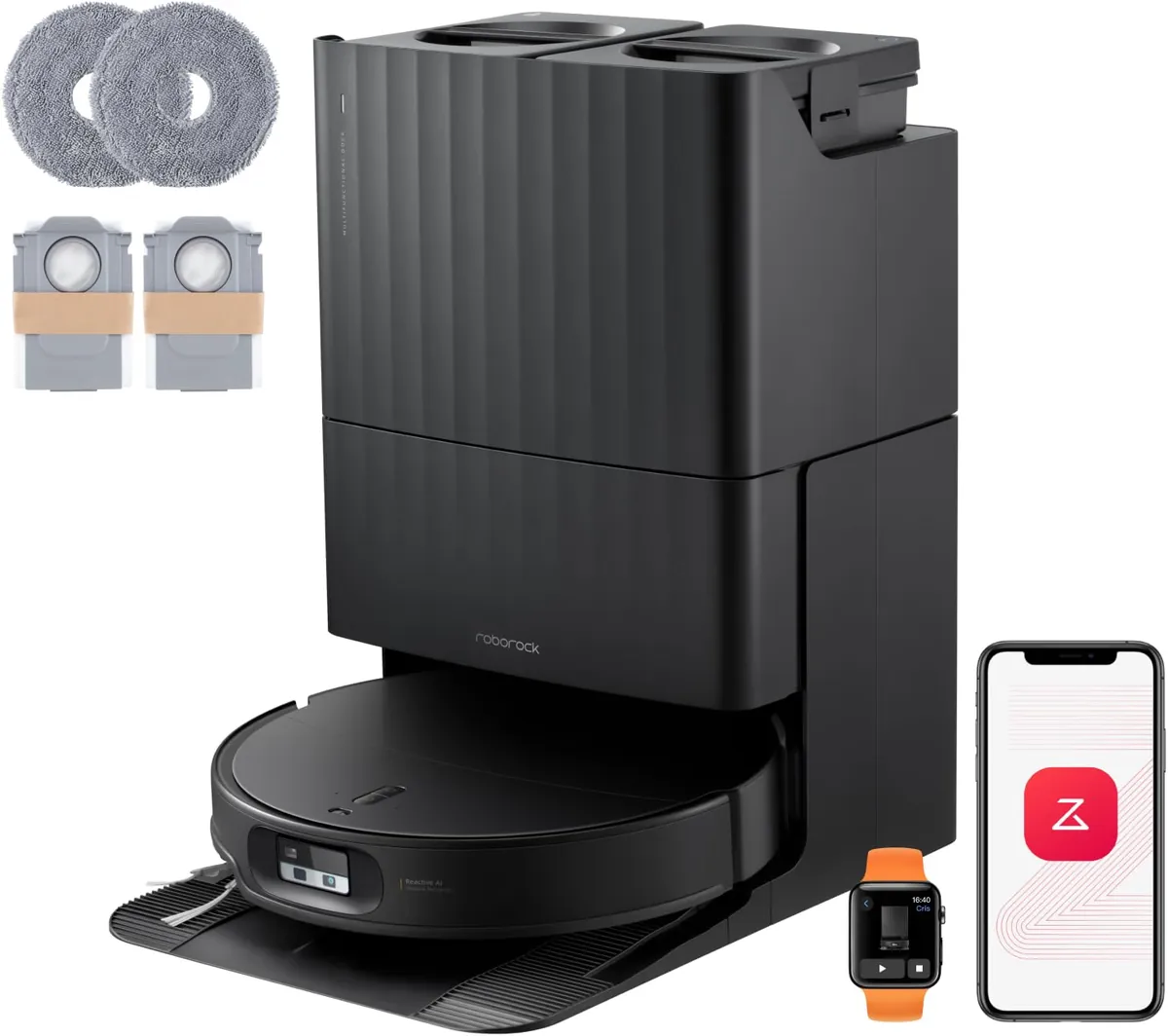
- the Set version of the Qrevo Edge 2 includes spare mops.
The dock’s base
The area where the dock washes the mops collects deposits: hair, dirt, detergent residue. On the Qrevo Edge 2, the base is detachable according to Roborock, and the app offers a deep-cleaning option, according to Maniaques. Every one to two weeks, unplug the dock, remove the base, rinse it with clean water, clean the washing tray with a soft brush and let it dry before putting it back.
The sensors and the camera
A layer of dust on a sensor is enough to confuse the robot: it gets lost, stops in front of an imaginary obstacle or no longer detects a step. Once a month, wipe with a dry microfibre cloth:
- the camera and the structured-light window at the front;
- the LiDAR cover and the height sensor;
- the cliff sensors under the robot, four on this model according to PCWorld;
- the wall sensor and the charging contacts on the robot and the dock.
The battery
The lithium-ion battery, 5,200 mAh on the Qrevo Edge 2, is the robot’s most expensive part. A few habits extend its life:
- leave the robot on its dock between sessions: the dock manages charging;
- keep it in a temperate room, away from a radiator or a sunny patio door;
- do not leave the battery flat for weeks;
- for a long absence, follow the manual, which usually recommends a partial charge and the robot switched off.
After a few years, if the runtime no longer covers your home even though the robot is clean, the battery can be replaced. Our article on suction, pascals and runtime explains how it works.
Bad smells
A smelly robot mop almost always points to standing water or organic residue:
- Forgotten dirty water: empty, rinse and let the tank dry.
- Dirty dock base: take it apart and rinse it.
- Worn mops: replace them.
- Bag full of hair: change it.
- Unsuitable product: go back to plain water or a compatible detergent.
Do not add perfume or air freshener to the tanks: they can foam, leave deposits and damage the pumps.
The maintenance schedule
| Frequency | Task |
|---|---|
| After each big mopping session | Empty and rinse the dirty water; top up the clean water |
| Every week | Remove hair from the brushes and wheels; check the side brush |
| Every two weeks | Clean the filter; rinse the dock’s base |
| Every month | Take out and clean the main brush; wipe the sensors and camera; clean the bin; check the mops |
| When alerted | Change the bag; replace the filter, brushes and mops |
With a pet or during moulting season, bring brush checks and bag changes forward. Our guide to robot mops and pet hair explains these adjustments.
To avoid forgetting anything, link each task to a fixed reminder: dirty water on Sunday evening, the filter and the dock’s base every other weekend, the main brush and the sensors on the first Saturday of the month. The robot’s app adds its wear alerts to these reminders.
The five-minute weekly check
If you only have a few minutes, this quick routine covers what matters most. Lift the robot off the dock and turn it over on a towel. Pull any hair off the ends of the main brush, the base of the side brush and the wheel axles. Give the front caster a spin to check it turns freely. Wipe the cliff sensors and the camera window with a dry cloth. Put the robot back, open the dock, empty and rinse the dirty-water tank and top up the clean water. Finally, glance at the app for any wear alert or error message.
Done every week, this check prevents most loss of suction, streaks and smells, and it means the monthly clean is quicker because nothing has had time to build up.
Common faults and fixes
| Symptom | Likely causes | Fixes |
|---|---|---|
| Weaker suction | Clogged filter, full bin, tangled brush, blocked duct | Clean the filter, empty, untangle, check the duct |
| Water marks or sticky floor | Water flow too high, too much detergent, worn mops | Lower the flow, use less, change the mops |
| The robot goes round in circles or gets lost | Dirty sensors or LiDAR, jammed caster | Wipe the sensors, clean the caster |
| The robot does not return to the dock | Dock moved, obstacle in front, dirty contacts | Put the dock back, clear the way, wipe the contacts |
| Emptying no longer works | Full bag, blocked duct | Change the bag, clear the duct |
| Smell in the dock | Standing dirty water, dirty base | Empty, rinse, clean the base |
| The brush no longer spins | Wrapped fibres, trapped object | Take out the brush, clean it, refit it |
| Error message | Alert from the appliance | Check the app, the manual or customer support |
If the problem persists after these checks, contact customer support, especially while the guarantee is running, which is two years for the Qrevo Edge 2 according to PCWorld.
Parts and repairs
A robot mop should be able to last. For that, its wear parts must be easy to replace:
- Consumables: bags, filters, mops, side and main brushes.
- Mechanical parts: caster, wheels, bin, tanks.
- The battery, which loses capacity over its charging cycles.
Choose original parts or compatible parts of recognised quality. The repairability index displayed in France shows how easy an appliance is to take apart and how available its parts are: retailers display 8.8 out of 10 for the Qrevo Edge 2X variant. While the guarantee is running, do not open the appliance beyond what the manual allows.
Useful kit
No special tools are needed. A small kit kept near the dock is enough, and makes maintenance so quick that you stop putting it off:
- round-tipped scissors, to cut through wrapped hair without damaging the brush;
- a soft brush or an old paintbrush, for the filter, the grilles and the base;
- two microfibre cloths, a dry one for the sensors and camera, a damp one for the wheels and the body;
- spare bags, a filter and mops, so you are never caught short;
- a compatible detergent, if you use one.
Avoid cotton buds that shred in the openings, sharp metal objects and scented household products.
Adapting maintenance to how you use it
The schedule above suits average use: a daily vacuuming pass and mopping a few times a week. Depending on your situation, some tasks come round more often.
With a dog or a cat
Hair fills the bag quickly and wraps around the wheels. Check the brushes at every clean during moulting season, change the bag more often and clean the filter every week. Never let the robot run through an accident: clean it up by hand first.
With someone who has allergies
The aim is not to stir back into the air what the robot has picked up. Change the bag outdoors, sealing it, clean the filter outside and if possible hand these tasks to someone without allergies.
With a well-used kitchen
Grease clogs the mops and the base faster. Rinse the base every week, use hot-water washing and soaking mode, and replace the mops a little sooner.
With very hard water
Limescale leaves deposits in the tanks and on the base. Rinse them more often; if the manual allows it, use softer water in the clean-water tank.
In a second home
A robot that sits unused for several weeks should be stored clean: tanks emptied and dry, mops dry, brushes untangled. When you come back, check that nothing has got damp before the first session.
Maintaining the Qrevo Edge 2 step by step
The Qrevo Edge 2 automates much of its own upkeep. Here is the routine we recommend, to be adapted to the manual supplied with your appliance, which takes priority.
- After big mopping sessions: empty the 3.5 L dirty-water tank, rinse it, top up the clean water and, if needed, add a compatible detergent by hand.
- Every week: turn the robot over and remove hair from the DuoDivide brush, the FlexiArm brush and the wheels.
- Every two weeks: check and clean the filter, as Maniaques recommends; remove and rinse the dock’s base.
- Every month: take out the main brush and clean its end caps; wipe the camera, the LiDAR cover, the height sensor and the cliff sensors; check the condition of the mops.
- When alerted: change the dock’s bag, the filter, the brushes and the mops.
Remember the spare accessories in the Set version: they cover the first replacements. Our user guide complements this advice.
Maintenance mistakes to avoid
- Leaving dirty water for several days. It is the main cause of smells and deposits.
- Pouring in bleach, vinegar or a foaming product. Seals, pumps and mops suffer.
- Washing the filter when the manual does not allow it, or putting it back damp.
- Pulling at wrapped hair instead of cutting it: the brush and its end caps get damaged.
- Forgetting the sensors. A robot that gets lost often has dirty sensors.
- Getting the electronics wet by rinsing the robot or the dock under the tap.
- Waiting for a smell or a fault before acting: by then, the build-up is already well advanced.
Storing the robot for a long time
For a house move, a long absence or a second home, a few precautions avoid nasty surprises:
- Empty and dry both of the dock’s tanks and the robot’s tank.
- Let the mops dry completely.
- Change the bag if it is fairly full.
- Clean the filter, the brushes and the base.
- Store the robot in a dry, temperate place, with the battery partly charged, as the manual says.
- When you return, recharge the robot and check that everything is dry before running it again.
Signs that it needs attention
Without waiting for the schedule, some signs show that the robot needs attention:
- crumbs are left behind the robot;
- water marks appear on the floor;
- the sound changes, becomes higher-pitched or whistles;
- a smell comes from the dock;
- the robot gets lost, hesitates or stops for no reason;
- emptying becomes noisy or less effective;
- an alert appears in the app.
In most cases, emptying the dirty water, cleaning the filter, untangling the brushes and wiping the sensors is enough to put everything right. If the symptom persists, see the table of faults above or contact customer support.
Getting into the habit of listening to and watching your robot helps a lot. An appliance in good condition makes a steady sound, follows straight lines and returns to its dock without hesitating. A sudden change almost always signals a build-up that is best dealt with straight away.
Maintenance time and budget
Well maintained, a robot mop with a complete dock takes little time. Allow a few minutes a week for the dirty water, the clean water and untangling the brushes, then about a quarter of an hour once a month for the main brush, filter, sensors and dock base. That is far less than the time spent vacuuming and mopping yourself.
On the budget side, recurring costs are limited to consumables: dock bags, filters, mops, brushes and, if you use it, detergent. How often you replace them depends on your use: a household with a dog will change bags and brushes more often than one person living alone in a small flat. We do not give prices, which change often; check up-to-date prices with the manufacturer or seller before buying.
Two habits keep these costs down. The first: clean before you replace. A brushed filter or an untangled brush often works as well as before. The second: buy multipacks, which are more convenient, and always keep one spare set in advance so the robot is never out of action. The Set version of the Qrevo Edge 2 already provides spare accessories for the first few months.
Hard water, softened water, demineralised water
Water quality affects the dock’s lifespan. Very hard water leaves white deposits in the tanks, on the washing tray and in the small nozzles that feed the mops. Over time, these deposits reduce the flow and cause streaks on the floor.
- Tap water: the default choice, unless the manual says otherwise.
- Very hard water: rinse the tanks more often and wipe the washing tray to remove deposits as they form.
- Demineralised or softened water: only use it if the manual allows it; some manufacturers advise against it because of water-level sensors.
- Descalers: never pour any into the dock without the manufacturer’s explicit approval.
If you notice the flow weakening despite new mops, think of limescale before suspecting a pump failure.
Maintenance through the seasons
Needs change over the year. In spring and autumn, pets moulting load up the brushes and the bag: check them more often. In summer, open windows let in more dust and pollen, and the heat speeds up the fermentation of dirty water: empty it sooner. In winter, indoor humidity slows down mop drying; let the dock’s drying cycle run its full course and air the room where it stands.
Also use a change of season for a full clean: every removable part, the robot’s body, the wheels, the whole dock, then check for app and map updates. A robot that restarts with an up-to-date map and clean parts cleans better and gets stuck less.
Frequently asked questions
How often should you empty the dirty water?
As soon as the tank is fairly full, and at least after every big mopping session. Do not leave it to stand for several days.
Can you wash the filter with water?
Only if the manual allows it. In that case, let it dry completely before refitting it. Otherwise, tap it and brush it dry.
When should you change the mops?
When they are matted, frayed or keep a smell despite the dock washing and drying them. Change them in pairs.
What product should you put in the dock?
A compatible detergent recommended by the manufacturer, added by hand to the clean water on the Qrevo Edge 2. Never bleach, vinegar or a foaming product.
Why does my robot leave streaks?
Water flow too high, too much detergent or worn mops. Lower the flow, use less detergent and check the mops.
How do you get rid of the smell in the dock?
Empty and rinse the dirty-water tank, take apart and rinse the base, check the mops and the bag, then let everything dry.
How long does a dock bag last?
Up to 65 days according to Roborock for the Qrevo Edge 2, a maximum value. With pets or a large floor area, expect less and follow the app’s alert.
Do the sensors need cleaning?
Yes, once a month with a dry cloth: camera, LiDAR, cliff sensors and charging contacts.
Can the battery be replaced?
Yes, on most robots. Check availability with the manufacturer or seller.
What should you do if the robot has fallen into water?
Do not switch it back on. Let it dry and contact customer support before using it again.
How long does a well-maintained robot last?
Several years in household use. The battery, brushes and mops wear out first; replacing them extends the appliance’s life.
Do you need to clean the robot after every session?
No. With a complete dock, emptying, washing and drying happen automatically. Your tasks are limited to the water, the bag and the weekly and monthly checks.
Can the robot go over a floor still wet from a cleaning product?
It is better to wait until the floor is dry. An incompatible cleaning product can end up on the mops and then in the dock, leaving residue or foam.
How do you clean the robot’s body?
With a slightly damp microfibre cloth, robot switched off, without any product or running water. Avoid the sensor areas, which you then wipe with a dry cloth.
What should you do if a brush has swallowed a shoelace or a thread?
Stop the robot, take out the brush and cut the thread with round-tipped scissors. Then check that the housing and end caps are clear before refitting it.
Are the app’s alerts reliable?
They are often based on usage time. They are a good guide, but the actual condition of the part comes first: a brush can wear faster with a pet, a filter last longer in a small home.
Clean floors, without thinking about it.
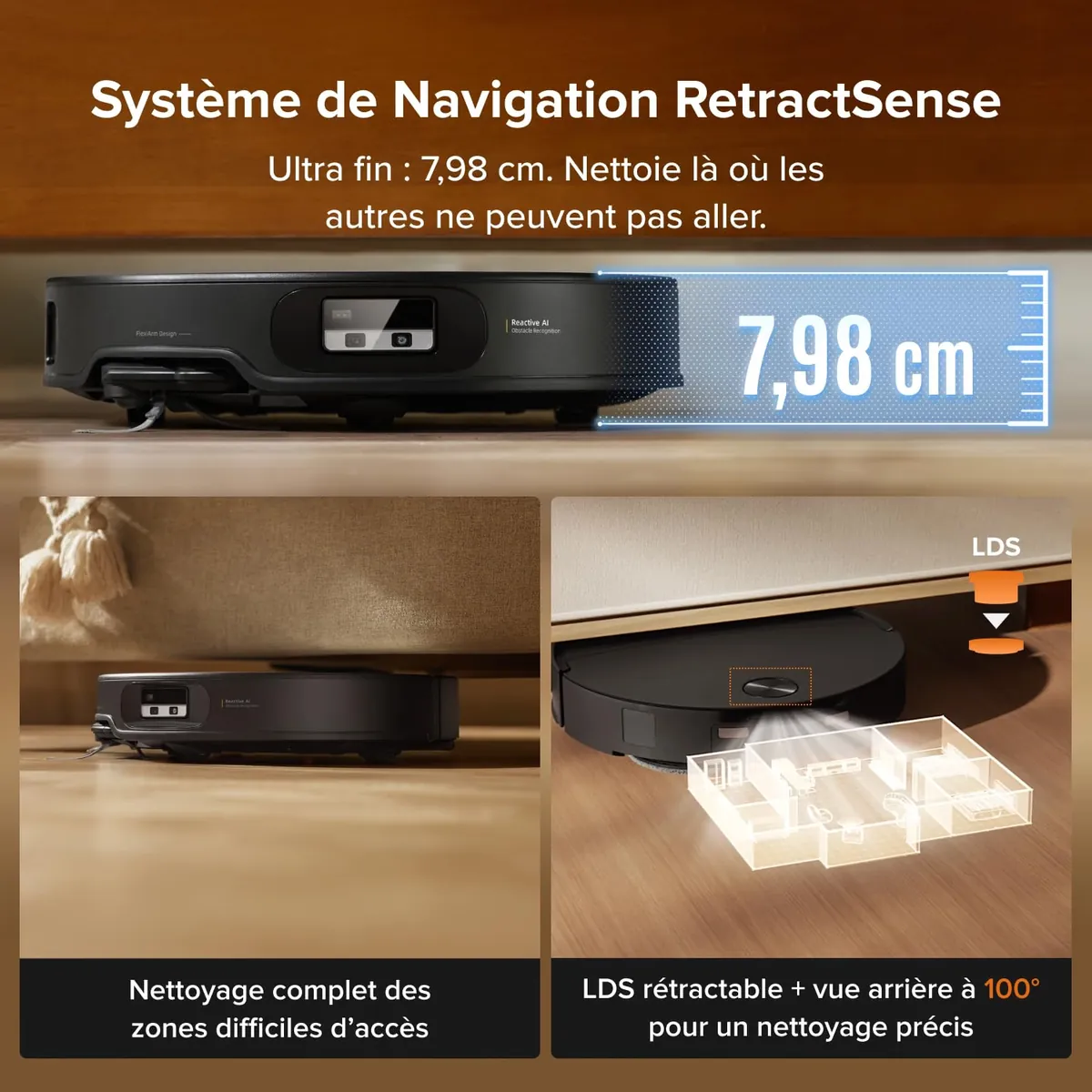
25,000 Pa · 7.98 cm · 80 °C wash · 55 °C drying · over 280 object types recognised. The price changes often on Amazon: check it, along with the seller, the exact version (Set, X, Pro) and the accessories included, before you order.
Check the price on AmazonAffiliate link · new tab