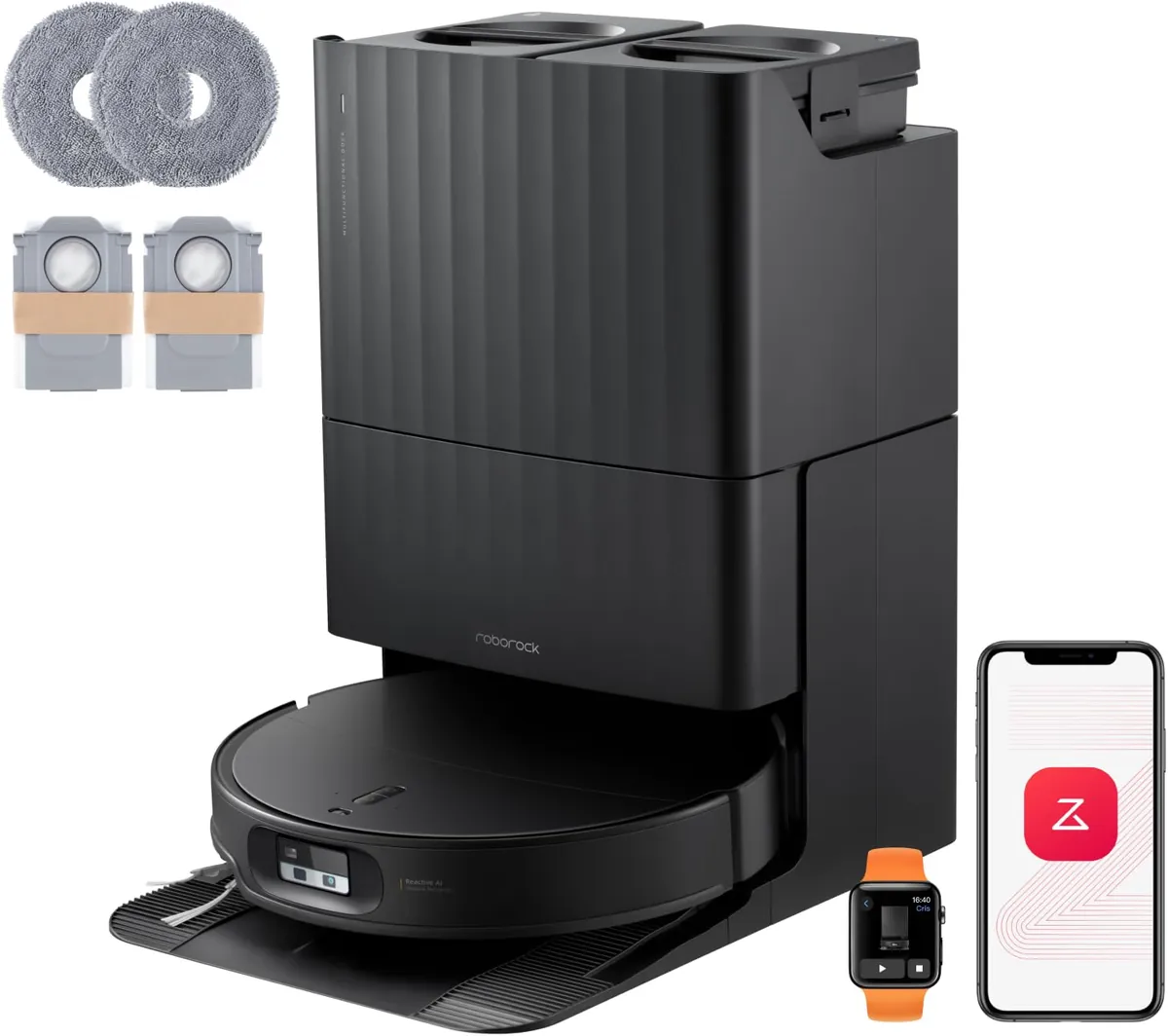
Navigation, mapping and obstacles: how a robot mop finds its way
A robot that knows where it is cleans faster, misses fewer areas and gets stuck less. Here is how the LiDAR, camera and sensors work, how to get the map right and how to prepare your home so the robot does not run into anything.
Contents
Why navigation matters so much
The first robot vacuums moved at random, bounced off walls and eventually covered the room by sheer repetition. They missed areas, went over the same spot ten times and drained their battery without knowing where their base was. Today’s robots work quite differently: they build a map of the home, constantly locate themselves on it and clean in regular rows.
The map is not just for the robot. It lets you see where it has been, spot missed areas, start a specific room from your phone and follow the cleaning history. It is what turns a self-driving appliance into a tool you can fine-tune to your habits.
Navigation determines almost everything else: cleaning time, coverage of nooks, the ability to resume after recharging, room-by-room settings, and how often you will find the robot stuck under a chair. With equal power, a robot that navigates well cleans better than a more powerful robot that gets lost.
It also affects wear. A robot that goes over the same areas needlessly uses more battery, wears out its brushes and mops faster and makes more trips back to its dock. An accurate map and a route in regular rows extend the appliance’s life as much as they shorten cleaning.
LiDAR: mapping with a laser
LiDAR, short for light detection and ranging, is a rotating laser rangefinder housed in a turret on top of the robot. It sends out an invisible beam that sweeps the room through 360° and measures how long the light takes to come back in order to calculate distances to walls and furniture. In a few turns, the robot draws an accurate plan of the room and locates itself on it to within a centimetre.
Its advantages are clear: a fast, reliable map, operation in the dark and good resume after recharging. The Qrevo Edge 2 maps about 70 m² in under 5 minutes according to PCWorld; Maniaques counted 12 minutes for 80 m², with doors open and the floor clear.
LiDAR does not see low, thin objects on the floor well, below its scanning plane: that is the camera’s job. And its turret adds height to the robot, which stops it getting under low furniture.
Other technologies exist on entry-level robots: the gyroscope, which estimates movement from wheel rotations, or a ceiling-facing camera, which picks out landmarks above the robot. They are cheaper but less accurate, especially in the dark or in a large home. For a robot mop that has to go back to wash its mops and resume its work, LiDAR is still clearly preferable.
The retractable LiDAR
This is how a few recent robots solve the height problem. On the Qrevo Edge 2, the RetractSense system works in three stages according to Roborock: an upward-facing dToF sensor measures the clearance as the robot approaches a piece of furniture; if there is enough height, the robot pulls its LiDAR into its body; under the furniture, a 100° rear vision module takes over to keep track of its position.
The robot is then only 7.98 cm tall, compared with 9 to 10 cm for most robot mops. Vacuum Wars measured 80 mm, against 103 mm for the first Qrevo Edge. Maniaques also points out an infrared sensor on top that stops the robot from entering a space that is too low.
Camera and structured light
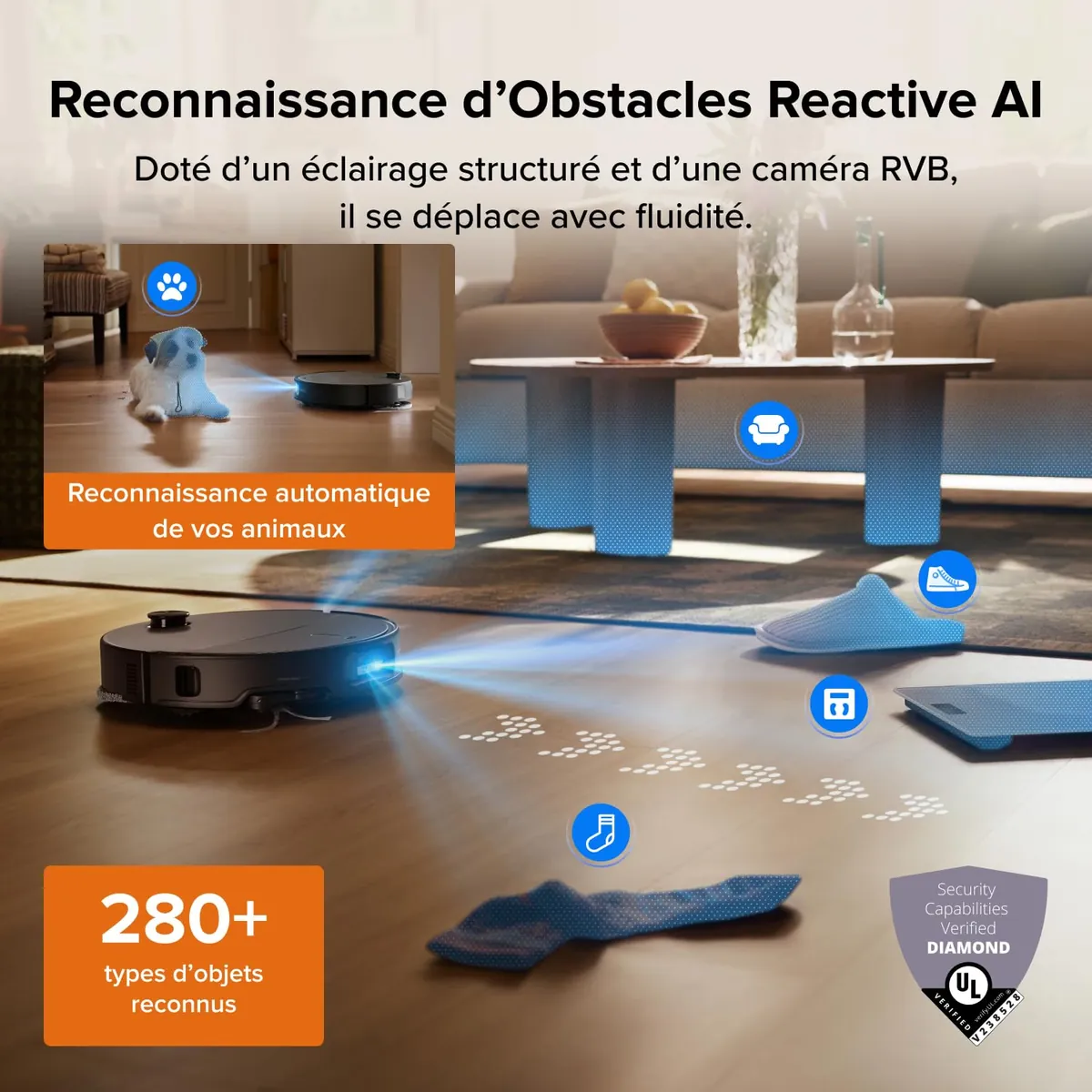
To recognise objects on the floor, recent robots combine a camera and structured light, a light pattern projected in front of the robot whose distortion reveals the shape of obstacles. Artificial intelligence trained on thousands of images then identifies the object: sock, cable, slipper, pet bowl, pet waste, chair leg.
The Qrevo Edge 2 uses this technology, called Reactive AI, with an RGB camera and lighting that works at night according to Maniaques. Roborock claims more than 280 recognised object types, and objects from 3 cm wide and high. The camera is also used to spot very dirty areas to trigger a second pass and, in the app, to keep an eye on a pet or make a video call.
The other sensors
- Cliff sensors, under the robot, detect the drop of a step. PCWorld counts four on the Qrevo Edge 2.
- The bumper detects contact and acts as a last safety net.
- The wall sensor helps the robot follow skirting boards at the right distance.
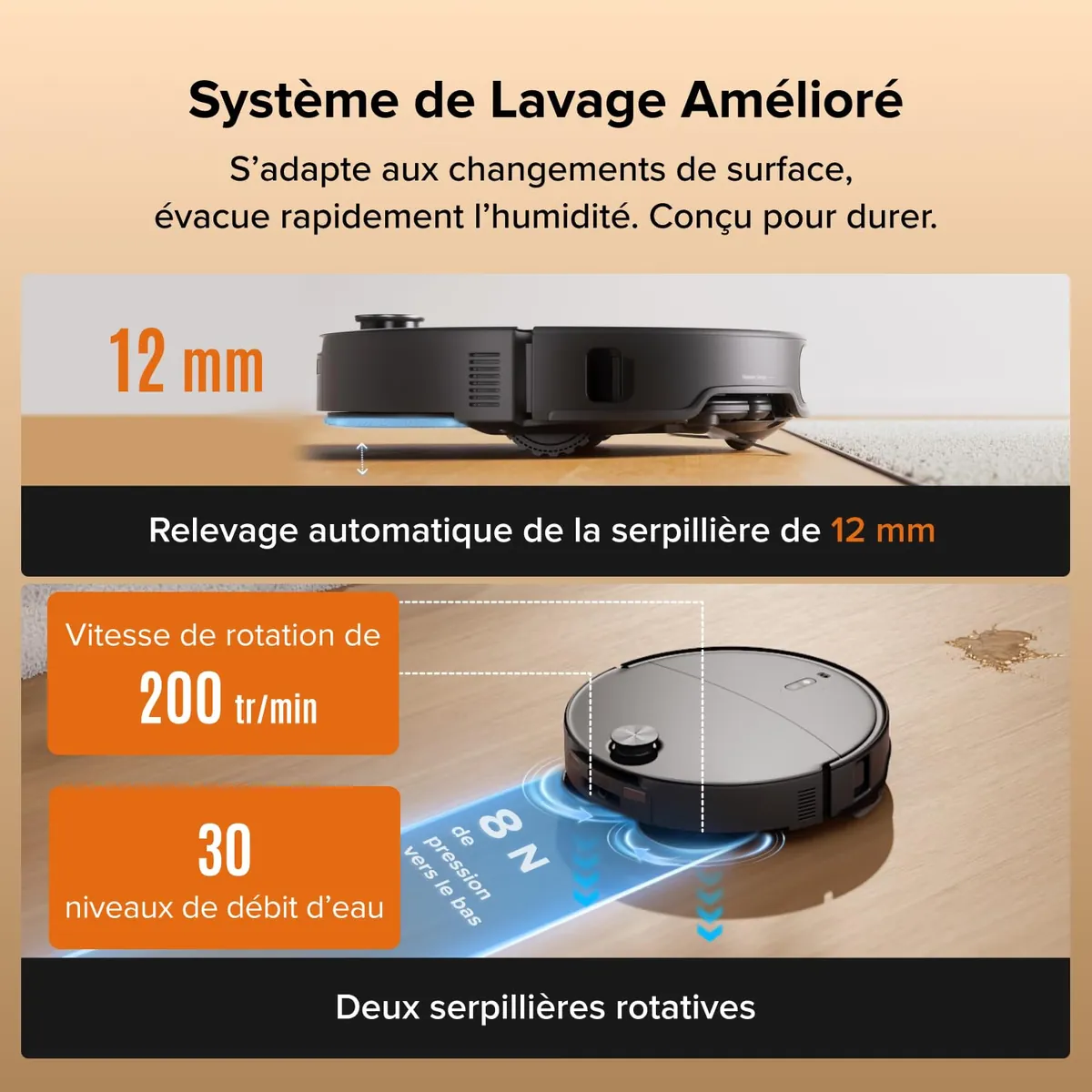
- The carpet sensor spots rugs to increase suction and lift the mops.
- Dirt detection triggers a second wash of very dirty areas, as Maniaques observed on a large liquid stain.
Getting the map right
The first mapping run determines everything else. A few precautions save you from having to redo it:
- Open all the doors of the rooms to be cleaned.
- Clear the floor: cables, shoes, toys, bags.
- Switch on the lights in dark rooms to help the camera.
- Put the dock in its permanent spot before mapping.
- Start the quick mapping run and stay nearby the first time.
- Check the result: walls, rooms, rug positions.
If you move furniture or the dock, the robot usually updates its map by itself on the next session. After a major rearrangement, it is better to start a new mapping run.
Rooms, no-go zones and settings
Once the map is saved, the app becomes your main tool:
- Divide and name the rooms: Maniaques had to separate a dining area that had not been distinguished from the living room.
- Draw no-go zones around pet bowls, cables, tightly packed chair legs and fringed rugs.
- Draw no-mop zones around rugs you do not want to get damp.
- Set up each room: suction, water flow, number of passes, cleaning order.
- Mark the curtains: the Qrevo Edge 2 offers a mode that goes under sheer curtains once they are marked on the map.
- Declare thresholds so the robot approaches them correctly.
The Qrevo Edge 2’s automatic SmartPlan 3.0 mode recognises rooms, learns your habits and adapts its strategy: boosted suction in high-traffic areas, optimised cleaning order, reduced power in Do Not Disturb mode.
Several floors
A robot does not climb stairs. For a house with several floors, there are two solutions:
- Carry the robot: the app keeps one map per floor. You put the robot down upstairs, it recognises the map and cleans, then you bring it back down to its dock.
- Install a second, simpler robot upstairs if you want automatic cleaning everywhere.
Cliff sensors protect the robot from steps, but a no-go zone in front of the top of the stairs is still a good precaution.
What the tests show
The number of recognised objects is not a success rate. Independent tests give a more nuanced picture of the Qrevo Edge 2’s navigation and avoidance abilities:
| Source | Finding |
|---|---|
| Vacuum Wars | 14 obstacles avoided out of 24, below the first Qrevo Edge; navigation efficiency of about 0.8 m² per minute |
| PCWorld | Good results with bowls and dog toys; difficulties with thin cables and very flat objects |
| Maniaques | Socks and a charger avoided; a small bottle and a Lego brick hit; 3 × 3 cm objects still bumped into |
| Allround-PC | Navigation and detection rated reliable |
In practice: the map is fast and accurate, the robot avoids large everyday objects well, but a quick tidy of cables and small flat objects is still useful.
Bear in mind too that performance varies from one home to another. A bright, uncluttered interior with objects in contrasting colours makes the camera’s job easier; a dark floor strewn with black cables makes it harder. In the first few days, watch where the robot hesitates or bumps into things, then adjust no-go zones and tidying.
Preparing your home
A few habits and adjustments make a big difference to efficiency:
- Tidy cables along the walls, in trunking or behind furniture.
- Lift curtain and blind cords off the floor.
- Pick up socks and toys before the scheduled session.
- Put chairs up on the table, or draw a zone around legs that are too close together.
- Check the height under your furniture: with more than 7.98 cm of clearance, the Qrevo Edge 2 gets underneath.
- Measure the thresholds: the robot climbs about 2 cm; beyond that, plan a ramp.
- Secure light rugs that slide or fold under the robot.
The classic traps
| Trap | What happens | Solution |
|---|---|---|
| Thin cable on the floor | The robot sucks it up or gets caught | Tidy it away or set a no-go zone |
| Star-shaped chair base | The robot gets wedged between the legs | No-go zone, chairs put up |
| Threshold above 2 cm | The robot gets stuck | Ramp, separate map |
| Fringed rug | The fringes wrap around the brush | Fringes tucked under, no-go zone |
| Furniture just at the robot’s height | The robot gets wedged underneath | No-go zone or furniture risers |
| Mirror or very reflective surface on the floor | Possible sensor interference | No-go zone |
| Black or very dark rug | Some cliff sensors mistake it for a drop | Check how the robot behaves, dedicated zone |
Updates and map backups
A robot’s navigation keeps improving after you buy it. Manufacturers release software updates that refine obstacle recognition, room division and the cleaning strategy. Install them with the robot on its dock and the battery charged, and avoid interrupting an update in progress.
Before a major update or a factory reset, save the map if the app allows it. You will get your rooms, no-go zones, curtains and room-by-room settings back without redoing everything. It is also worth noting your main settings somewhere: water flow per room, cleaning order and the schedule. If the map ever becomes corrupted, a new mapping run with doors open and the floor clear usually takes only a few minutes.
Camera and privacy
A robot with a camera moves around your home and can, depending on its settings, send images to the app. A few simple precautions:
- protect your account with a strong password and, if possible, two-factor authentication;
- turn off remote video and photos if you do not use them;
- keep the app and the robot’s software up to date;
- read the app’s privacy settings.
Roborock states on its product page that it applies high data protection standards; these settings remain up to you. If the camera still bothers you, bear in mind that a robot without a camera is worse at avoiding small objects: you will need to tidy the floor more carefully before each session. For step-by-step setup, see our user guide, and for the right settings on each floor, our guide to wood floors, tiles and rugs.
Frequently asked questions
Does the robot work in the dark?
LiDAR works without light. The Qrevo Edge 2’s camera has lighting for night-time use according to Maniaques; a lit room still helps object recognition.
How long does it take to map a home?
A few minutes: about 70 m² in under 5 minutes according to PCWorld, 80 m² in 12 minutes according to Maniaques.
Does the robot avoid cables?
Thick cables generally, thin cables much less well. Tidy them away or draw a no-go zone.
Does the robot fall down the stairs?
No, its cliff sensors detect the drop. A no-go zone in front of the stairs is still a good precaution.
Can you have several maps?
Yes, one per floor. You just put the robot down upstairs and it recognises the right map.
Why does the robot always get stuck in the same place?
A threshold that is too high, furniture right at its height or a star-shaped chair base. Draw a no-go zone there.
Do you need to remap after moving furniture?
Usually not, the robot updates its map on the next session. After a major rearrangement, start a new mapping run.
Also remember to back up the map if the app offers it. After a failed update or a reset, you will get your rooms, no-go zones and settings back without redoing everything.
Is the camera filming all the time?
It is used first and foremost to recognise objects during cleaning. Remote video features are managed in the app: turn them off if you do not use them.
Can the robot clean a single room?
Yes, the app lets you start one or more rooms of your choice, or a zone drawn by hand. With the voice assistant, you can also ask for a spot clean.
Is the retractable LiDAR fragile?
Roborock presents it as a central feature of the Qrevo Edge 2 range. Like any moving part, it is worth keeping clean: wipe the cover regularly and avoid pressing on it.
Does the robot remember obstacles?
It saves the map and its no-go zones. Moving objects are detected on every session: a toy left in the middle of the living room will be spotted again, or bumped into if it is too small or too flat.
Clean floors, without thinking about it.
25,000 Pa · 7.98 cm · 80 °C wash · 55 °C drying · over 280 object types recognised. The price changes often on Amazon: check it, along with the seller, the exact version (Set, X, Pro) and the accessories included, before you order.
Check the price on AmazonAffiliate link · new tab